
Before knowing some video editing or digital photography tips one should have some basic information about popular formats in which a video can be recorded and distributed.
Here's a low-down on all Format jargon you are likely to encounter.
RECORDING FORMATS
1. DV (Digital Video)
The DV format is the video format standard used by MiniDV tapes. It supports uncomplicated editing, transfer over FireWire, and better quality video than the earlier analouge formats.
The raw DV data stream can be transferred over FireWire to a PC using software such as Windows Movie Maker. A 60-minute MiniDV tape is about 13-14 GB in size and takes about an hour to transfer. The files are stored in .dv and .dif extensions. However, most Windows-based programs do not support direct DV playback. But QuickTime Player, VLC Media Player and Mplayer supports direct DV playback.
2. MPEG (Motion Pictures Expert Group)
The MPEG standards define various video and audio encoding standards. Depending on the media type, video recording is recorded in one of the three defined standards: MPEG 1, MPEG2, MPEG4.
Camcorder recording media and their associated encoding scheme are as follows:-
MicroDV - MPEG2
DVD-R, DVD-RW, DVD RAM - MPEG2
Flash Memory - MPEG1, MPEG2 or MPEG4
3. High Definition (HDTV)
High Definition TV (HDTV) offers very high quality picture resolution and colour fidelity while supporting the movie theatre style aspect ratio of 16:9 compared to the 4:3 ratio of normal TV.
HD video camcorders record onto the same MiniDV tapes as standard video, but use entirely seperate video compression technology. But there is a drawback also. Editing a HD video is much more complex. To overcome this problem, high-end video editing softwares now support conversion of HD video into an intermidiate format for editing purposes.
Distribution Formats
Once you've recorded your video you can distribute it in any of the formats discussed belowdepending on the distribution media, resolution quality, as well as the size of the resulting video file.
1. AVI (Audio Video Interleave)
AVI is not a format, but rather, a container framework. This means AVI can "contain" other video codecs. This is one of the oldest video container formats and supports nearly all available video codecs.
There is a strong support for this format especially in filesharing communities due to its compatibility with Windows Media Player.
2. ASF (Advanced Systems Format)
Similar to AVI, ASF is also a container format and can be encoded with virtually any of the available video codecs. ASF is positioned as successor to AVI. ASF is ideal for streaming videos.
3. QuickTime (MOV)
MOV or QuickTime is also a container format that can contain specific codecs including the DV codec. QuickTime has an ability to seperate audio/video data from metadata such as track lists, subtitles, etc. This makes it very amenable to editing. To create QuickTime movies you need the QuickTime Pro video editing software. .mov files can be played using the QuickTRime player which is available as a free download.
4. WMV (Windows Media Video)
It is usually packed in an ASF container, especially for distribution over Internet. It also supports High Definition Video encoding onto standard DVDs in a format known as WMV HD.
5. MPEG (Motion Pictures Expert Group)
MPEG 1 - Originally designed to achieve video quality equivalent to VHS, this is one of the most compatible formats being supported by almost all computers and VCD/DVD players.
MPEG 2 - It is used to encode video and audio for variety of distribution channels including direct broadcast satellite , cable TV.
MPEG 4 - It supports all the features of MPEG 1 & 2 and have some other features also. QuickTime and Ipod video are some of the popular systems that use MPEG 4.

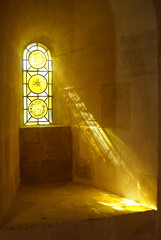 The wrong lighting can cause your primary subject to be underexposed or overexposed. Light is the most important thing in digital photography and video recording. A good lighting can get a pro looking image or video out of a low budget camera and in bad lighting, video or image shot by a pro with an expensive camera also looks as if taken by a newbie.


